
AI ROBOT PROGRAMMING · POLYSCOPE X
Program Universal Robots with AI – from a prompt, directly in PolyScope X
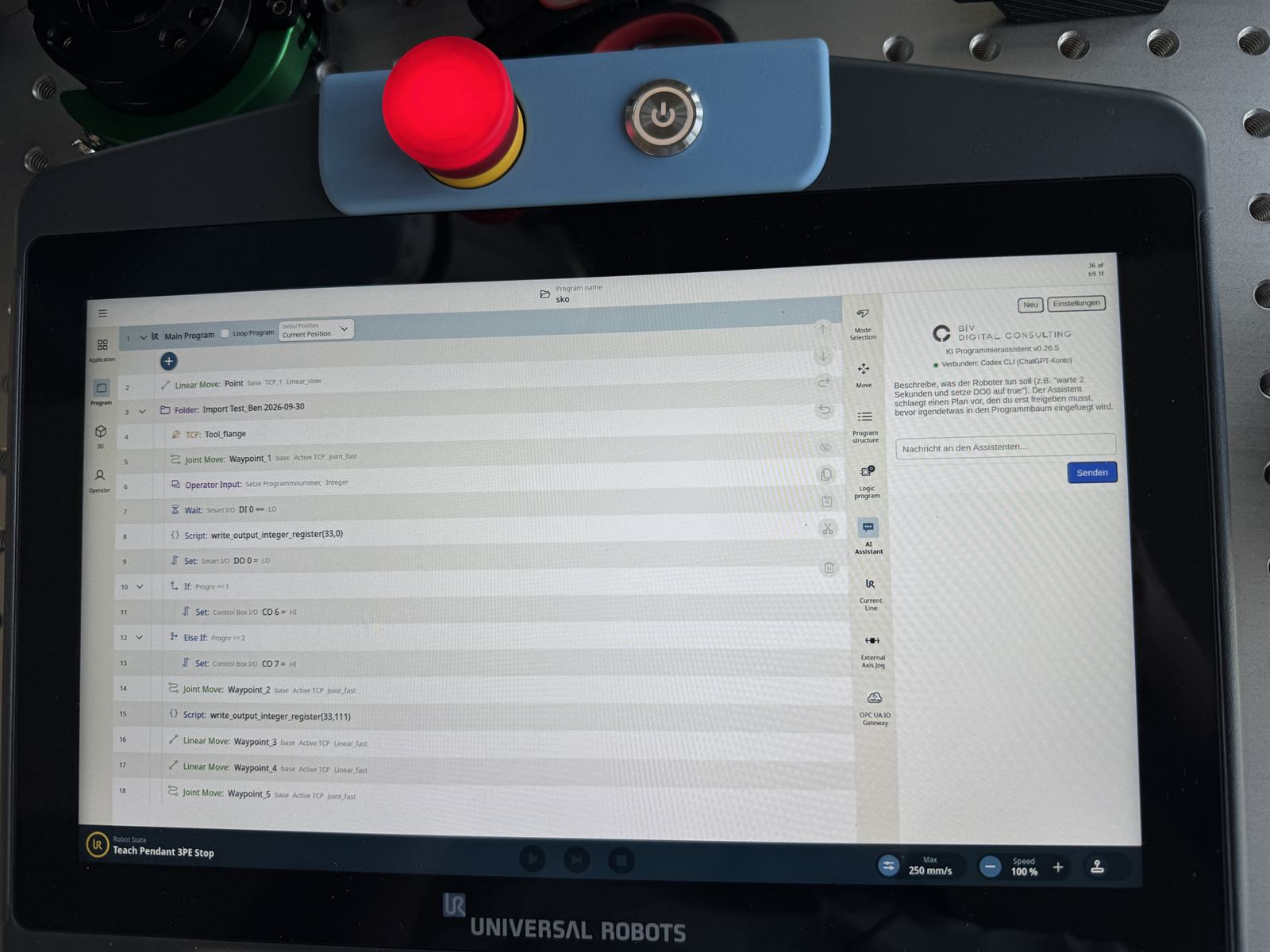
With the AI Programming Assistant you describe on the teach pendant, in plain language, what the robot should do – for example “wait 2 seconds and set DO0 to true”. The AI asks follow-up questions, proposes a plan and, once you approve it, creates native program nodes in the PolyScope X program tree. No URScript, no PC.
HOW IT WORKS
From prompt to robot program
- Type your task as a prompt
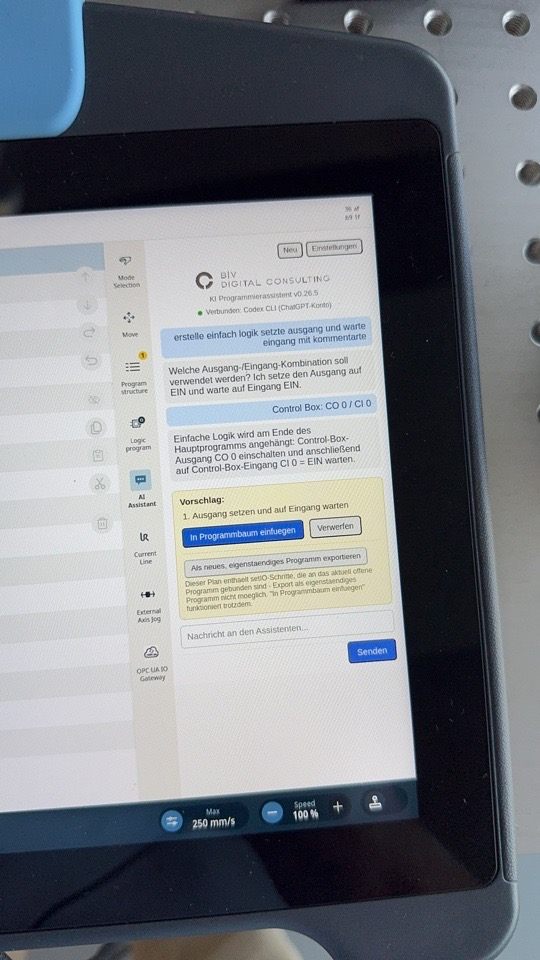
Describe the task in plain language right on the teach pendant, e.g. “set an output and wait for an input, with comments”.
- Answer follow-up questions
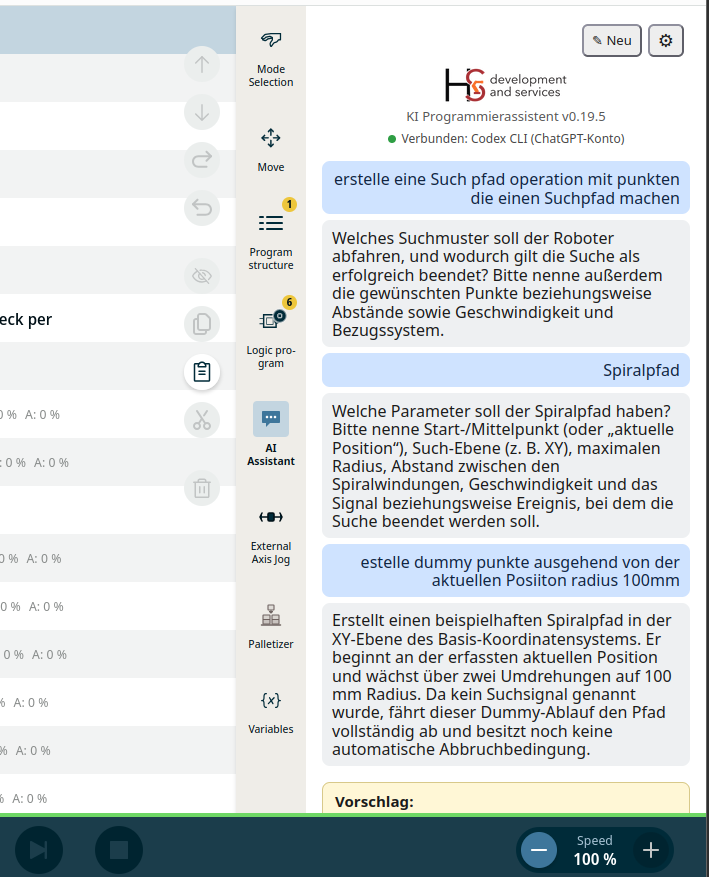
If details such as inputs, outputs, positions or parameters are missing, the AI asks instead of guessing.
- Review the plan
The assistant shows the planned program steps as a proposal. Nothing in the program has changed at this point.
- Insert or export
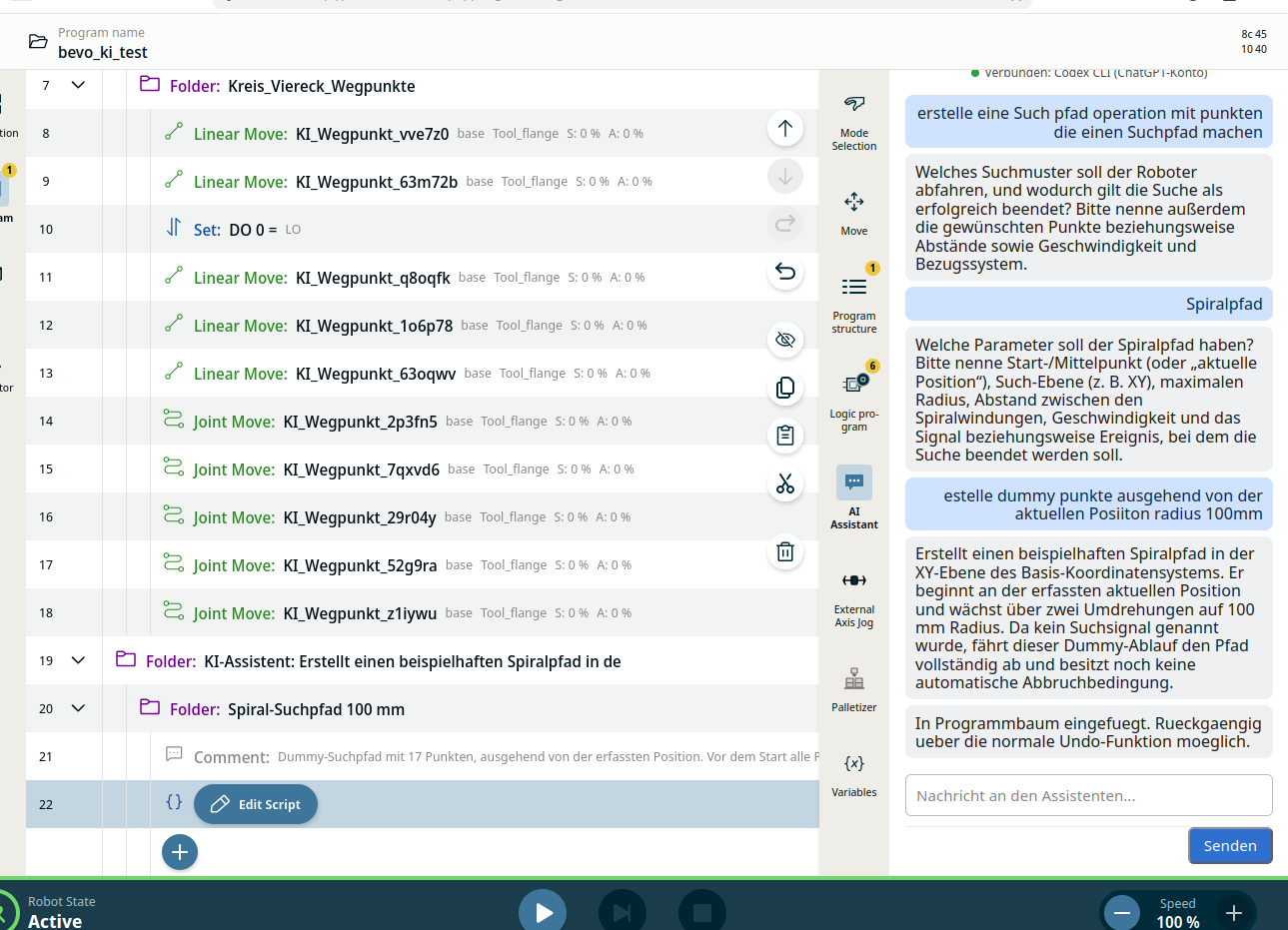
“Insert into program tree” creates native PolyScope X program nodes. Alternatively, export the result as a standalone program.
IN DETAIL
What the AI Programming Assistant does
Program nodes, not code snippets
The result is not text to retype but a program flow that lands as native nodes in the program tree – setting I/O, waiting for signals, conditions and commented sections.
More complex tasks too
A prompt such as “create a search path operation” produces an example spiral path that stops on a search signal. Palletizing data can be captured with a guided assistant.
Your choice of AI model
Connect OpenAI via API key, Codex CLI with a ChatGPT account, or Claude CLI via API key or account. The connection status is always visible in the sidebar.
Right on the robot
The chat runs in a large PolyScope X sidebar – where programming happens. Start a new chat at any time.
For beginners and experts
Beginners get a working program flow without URScript knowledge; experienced programmers save routine work during design, commissioning and training.
Field-tested
Tested on a real e-Series robot running PolyScope X and live on the new UR Gen7 (UR17g-1300, CB7 Core, TP7 Core) on 30 September 2026.
FROM THE FIELD TEST
The AI Programming Assistant on a UR17g-1300
CONTROL & LIMITS
The AI proposes, you decide
The assistant only changes the program tree after your approval. The generated program is a normal PolyScope X program: review it like any other, test it at reduced speed first and only then use it in production. Risk assessment and the cell’s safety configuration remain the responsibility of the integrator and operator.
NEXT STEP
Try AI programming in your own cell
Briefly describe your robot, software release and the task you want to create from a prompt. You will get an assessment and an offer for the AI Programming Assistant.